

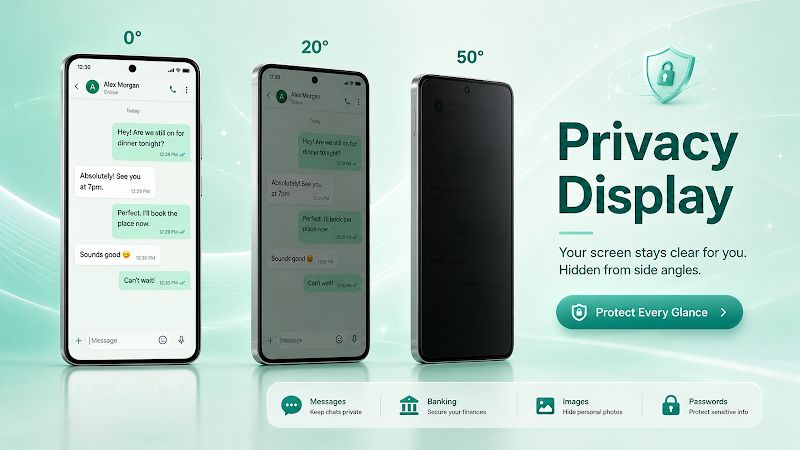
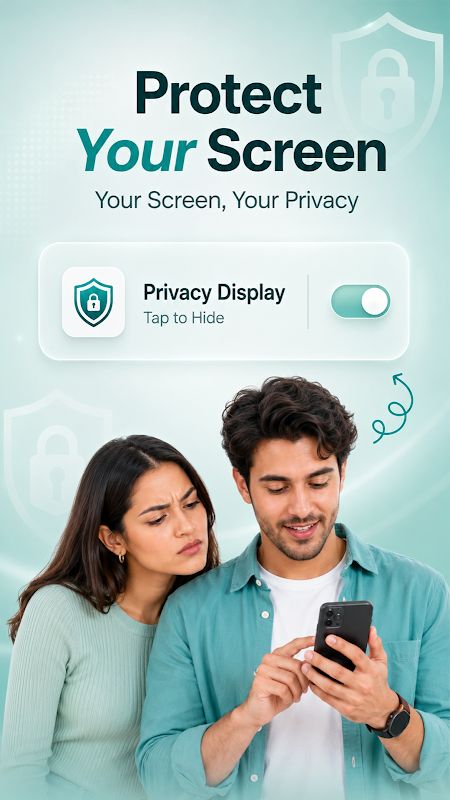
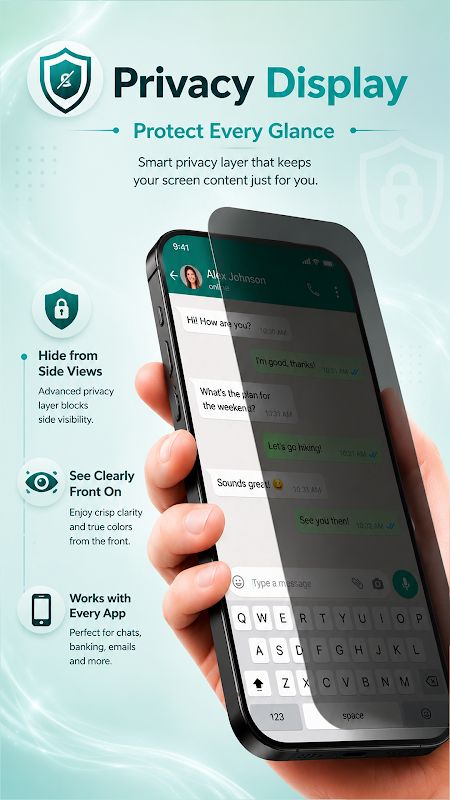
Privacy Display MOD APK is an app that helps you keep your phone screen private when using it around other people. Its main feature is Tilt Shield, which shows a privacy overlay when you tilt your phone. You can also hide notifications, protect selected apps, set a schedule for privacy features, and adjust the screen brightness for more comfortable reading.
Introduction to Privacy Display
Sometimes you need to check a message or open a private app while sitting in a cafe, on a bus, or at work. Privacy Display gives you several tools to make your screen harder for people nearby to see. You can choose how the overlay looks and decide when it should appear.
You do not need to change all the settings at once. Start with Tilt Shield, choose the apps you want to protect, and set up other features later. The app also has widgets, so you can access some privacy tools directly from your home screen.
Hide Your Screen with Tilt Shield
Tilt Shield is the main feature of Privacy Display. It can show a dark overlay when you tilt your phone in a chosen direction, so you do not have to turn the screen guard on manually every time. You can select left, right, or down as the trigger direction and adjust the angle sensitivity to match how you normally hold your phone.
The overlay has a few settings too. You can change its darkness and choose from different textures and patterns. Try different settings to find one that feels comfortable when you use your phone. You can also choose which apps should use Tilt Shield instead of applying it everywhere.
Add Screen Guard Layers
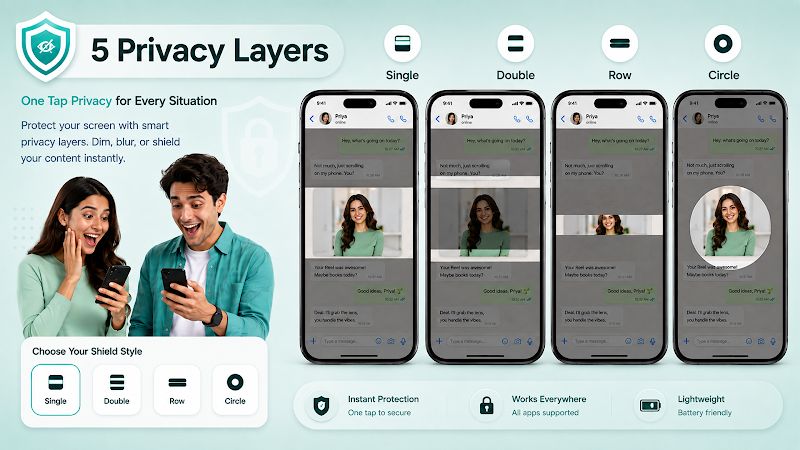
Privacy Display has extra screen guard layers with double-layer, row, and circle patterns. These add another visual effect on top of the normal dim overlay, making the screen harder to view clearly from the side.
You can try the different patterns and see which one works best for you. The app lets you customize the overlay, so you are not limited to one dark screen style.
Protect Individual Apps
With App Shield, you can choose specific apps that need more privacy. For example, you might want to protect your banking app, private messages, or social media instead of using the same settings for every app on your phone.
The app also includes an App Blocker and Child Lock. These features use Android’s Accessibility service when you enable it, and can redirect you to the Home screen when you open a blocked app. You can choose whether to enable this service in the app settings.
Use Panic Mode When Needed
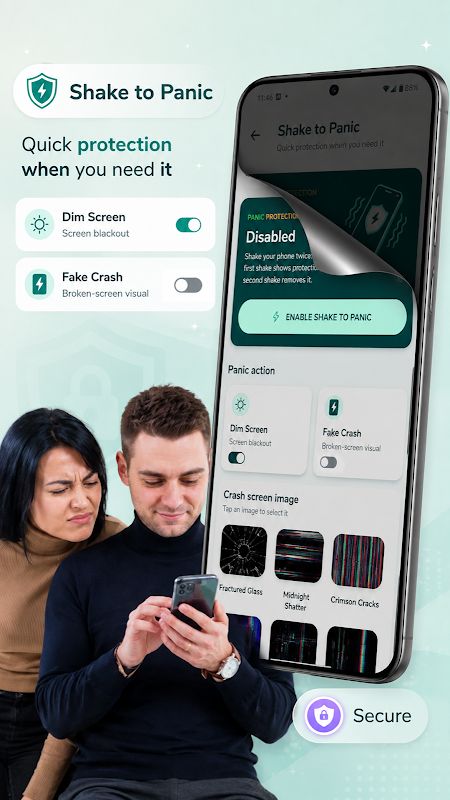
Privacy Display lets you trigger panic mode by shaking your phone. The screen is hidden when the feature activates, giving you a quick way to get away from the current screen.
There are also shortcuts for hiding contacts and notifications, along with emergency alerts. You can set these options up in advance, making them easier to access when you need them.
Hide Private Notifications
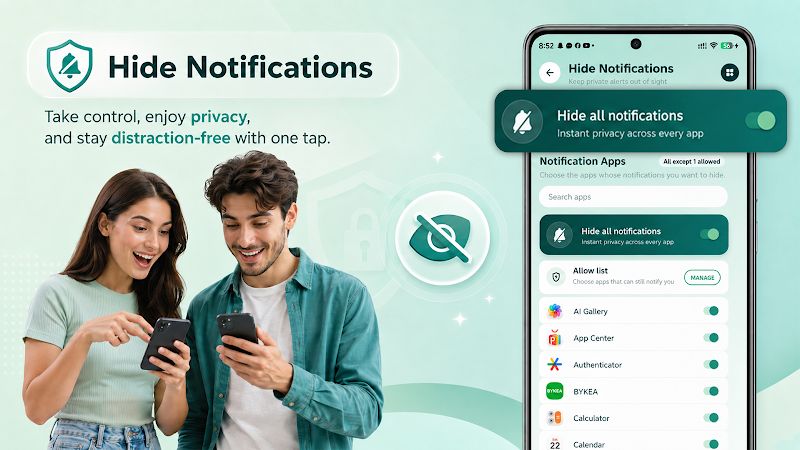
Message previews can show part of a conversation even when your phone is locked or you are using another app. Privacy Display can block sensitive notification content from appearing on the lock screen or status bar.
You can also set a schedule for hiding notifications. For example, set it to turn on during work hours, so you do not have to remember to change the setting every day. You can choose the times that suit your routine.
Set a Privacy Schedule
Besides notification privacy, the app lets you schedule Tilt Shield and App Shield. Choose when each feature should turn on, and Privacy Display will handle it automatically.
This means you can set up different privacy options for different parts of your day. Once the schedule is ready, you do not need to keep opening the app to switch between them manually.
Access Privacy Tools from Widgets
Privacy Display includes home screen widgets for privacy status, panic protection, App Shield, privacy schedules, notification privacy, and eye comfort. You can put the tools you use most on your home screen and access them with a tap.
This is more convenient than opening the app and finding the right setting whenever you want to make a quick change.
Adjust Screen Brightness and Eye Comfort
Privacy Display can also dim your screen and apply different overlay tones. You can use these settings when reading at night or looking at your phone for a long time.
You can adjust the brightness to suit your surroundings and choose a tone you find comfortable. It gives you another way to customize the screen, even when you are not using Tilt Shield or App Shield.
MOD APK Version of Privacy Display
The MOD version comes with Pro Unlocked, giving you access to the Pro features included in the modified version.
MOD Features
Pro Unlocked
Download Privacy Display MOD APK for Android
Privacy Display MOD APK gives you several ways to hide your screen, protect selected apps, block notification previews, and schedule privacy settings. You can also use panic mode and adjust the overlay to suit the way you use your phone. Download Privacy Display MOD APK for Android and choose the privacy tools you need.


