
GG Mouse Pro 3 MOD APK lets you play Android games with a keyboard and mouse instead of using the touchscreen for everything. This can be especially useful if you are used to playing FPS games on a PC and want controls that feel more familiar on your phone. The app supports four connection methods, including Shizuku, wireless activation, USB activation, and root activation. You can also set up your own control layout for each game and create macros for actions that require several inputs. Once you get the controls working the way you like, you can use the same setup whenever you play that game again.
Introduction to GG Mouse Pro 3
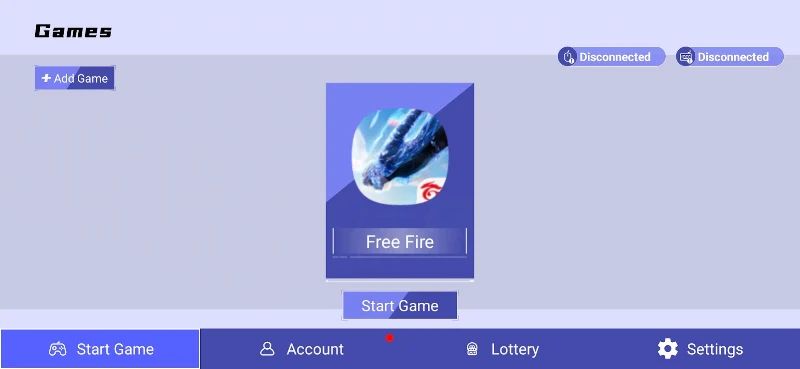
Playing a game with touchscreen controls can take some getting used to, especially when you need to move, aim, and press several buttons at the same time. GG Mouse Pro 3 gives you another way to play by letting you connect a keyboard and mouse to your Android device. You can choose how to activate the connection, then adjust the controls to suit the game you want to play. The app also provides video tutorials showing how to connect your devices, which is helpful if you have never used this kind of setup before. Rather than sticking with a fixed control scheme, you can make changes until the layout feels comfortable.
Four Connection Methods for Different Devices
GG Mouse Pro 3 provides four ways to connect your keyboard and mouse, so you can choose the method that works with your device. Shizuku is an option that does not require root access, while wireless activation lets you set things up without keeping a USB cable connected. USB activation uses a direct cable connection between your Android device and a PC or Mac, and root activation is available for devices that have root access. These methods have different requirements, so the best option depends on your phone and how you want to set things up. If you are unsure where to start, you can follow the app’s video tutorials instead of trying to figure out every step on your own.
Create Your Own Controls for Each Game
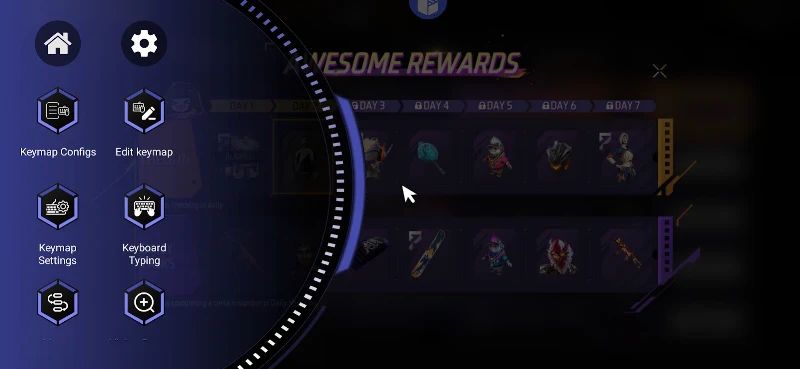
Not every game uses the same controls, and a layout that works well in one game may feel awkward in another. GG Mouse Pro 3 lets you create a separate control layout for each game, so you can decide how to arrange the keys and mouse actions. This is useful for FPS games, where you may want to keep movement, aiming, and other actions within easy reach. You can adjust the layout to match your habits rather than forcing yourself to use a setup that does not feel right. When you switch to another game, you can configure its controls separately instead of starting with the same arrangement every time.
Set Up Macros for Repeated Actions
The app also supports macros, which let you configure a sequence of inputs for actions that require more than one step. Instead of entering every input separately, you can create a macro for the sequence you need. This gives you another way to customize your controls, particularly when you often repeat the same actions while playing. You can combine macros with your own key layout to build a setup that suits the way you play, rather than relying entirely on the game’s default touchscreen controls.
MOD APK Version of GG Mouse Pro 3
GG Mouse Pro 3 offers Premium features such as custom control layouts and macro creation, and the supplied app description states that these features are available for free. The Premium Unlocked MOD APK is aimed at users who want access to the app’s premium functionality. You can configure your controls, choose a connection method, and set up macros for supported games without having to work with a single fixed layout.
MOD Feature
Premium Unlocked
Download GG Mouse Pro 3 MOD APK for Android
If you prefer playing with a keyboard and mouse, GG Mouse Pro 3 gives you the tools to set up your Android games the way you want. Choose from four connection methods, create custom controls for individual games, and use macros for sequences of actions. With Premium Unlocked, you can make use of the app’s premium features and spend time finding a setup that feels right for you. Download GG Mouse Pro 3 MOD APK for Android and give your mobile gaming controls a try.