

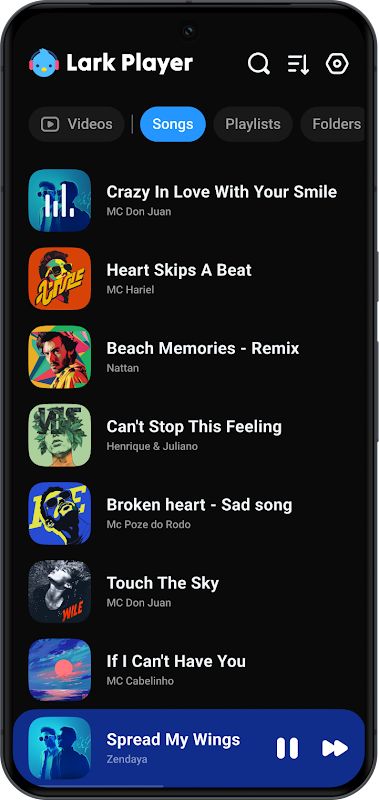
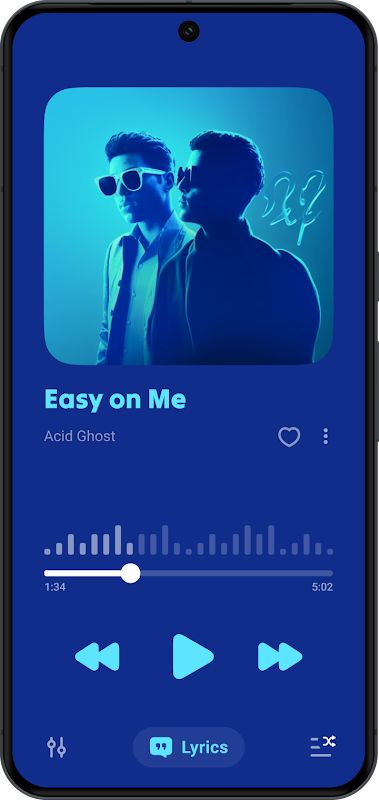
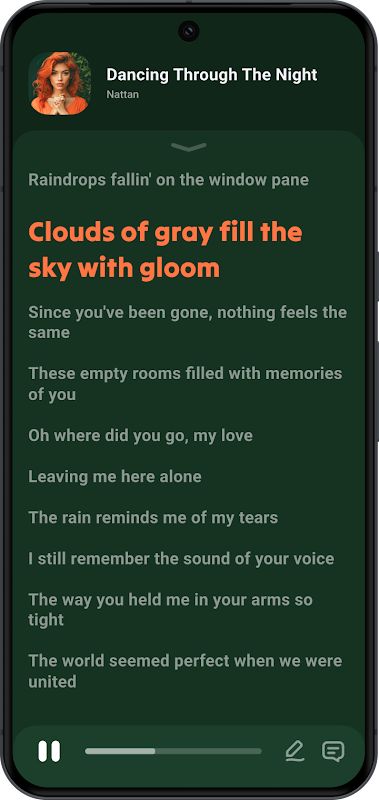
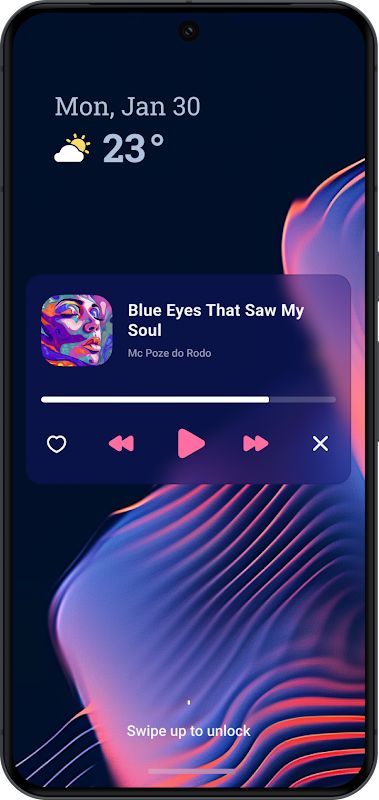
Lark Player MOD APK is a music player and video player for Android that lets you enjoy your favorite media offline. It supports many common audio and video formats, so you can play files stored on your phone without needing another app. You can also adjust the sound with the built-in equalizer, read song lyrics, create playlists, and play videos in a floating window while doing other things.
Introduction to Lark Player
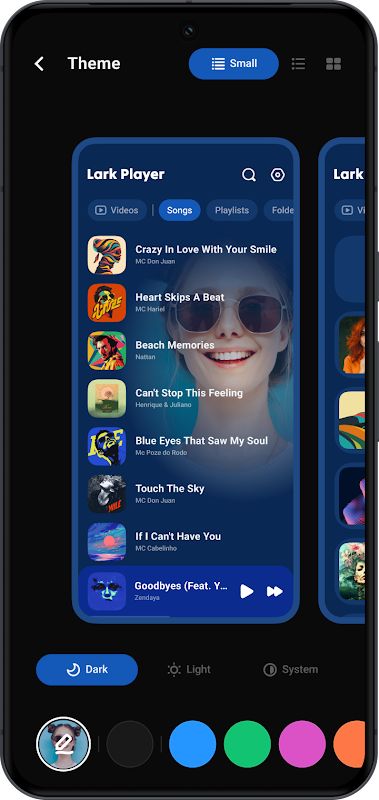
Lark Player is a good choice if you keep a lot of music and videos on your phone. You can browse your files by song, artist, album, genre, or folder, making it easier to find what you want to play. The interface is simple to use, and you can manage your music collection without switching between several apps.
Since Lark Player works as both an audio player and a video player, you can use one app for different types of media. It plays music in the background, supports playback through the notification bar, and lets you choose how your songs are played.
Play Music and Videos in Different Formats
You don’t need to stick to MP3 files when using Lark Player. It supports audio formats such as MP3, WAV, FLAC, AAC, M4A, MIDI, and AC3. This makes it easier to play different music files saved on your device.
The video player supports formats including MP4, 3GP, WEBM, MOV, and MKV. If you already have videos stored on your phone, just open them in Lark Player and start watching. Keep in mind that playback can still depend on the file’s specific encoding.
Customize Your Sound with the Equalizer
One of the useful features in Lark Player is its built-in equalizer. You can adjust the sound to suit the music you’re listening to instead of using the same settings for every song. There are preset modes for genres such as Classical, Dance, Hip-hop, Jazz, Pop, Rock, and Heavy Metal, along with Normal and Flat modes.
You can also adjust settings such as bass enhancement, reverb, and sound field. For example, you might prefer stronger bass for dance music or a different sound for classical tracks. Try a few settings and see which one sounds best with your headphones or speakers.
Create Playlists and Manage Your Music
If your phone contains hundreds of songs, Lark Player makes it easier to keep everything organized. You can browse music by artist, album, genre, or folder, then create playlists for different moods or occasions. You can also choose shuffle, sequential playback, or repeat, depending on how you want to listen.
The app includes basic file management tools, too. You can manage music files directly on your device and delete files you no longer need. If you have a song you really like, you can even set it as your ringtone without needing an internet connection.
Enjoy Lyrics While Listening
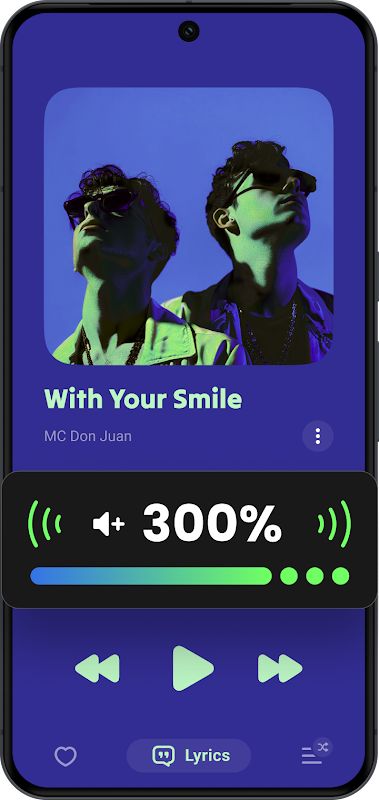
Sometimes you know the melody of a song but don’t quite understand the words. Lark Player can match lyrics with supported local music files, allowing you to follow along while the song plays. This is handy when you want to sing along or learn the lyrics to your favorite tracks.
The feature depends on whether matching lyrics are available, so not every song will necessarily display them. Still, it’s a useful addition for people who enjoy reading lyrics while listening to music.
Floating Player for Multitasking
Lark Player lets you play music or videos in a floating window. You can change the window’s size and position, so it doesn’t take up the whole screen. This means you can watch a video while messaging someone or keep a video open while doing something else on your phone.
The floating player is especially useful when you don’t want to stop playback just to use another app. For music, you can also keep listening in the background and control playback from the notification bar.
Sleep Timer and Day/Night Themes
If you like listening to music before going to sleep, the sleep timer can be quite useful. Set a time, and Lark Player will automatically stop playback when the timer runs out. You don’t have to remember to turn off the music yourself.
The app also offers day and night themes, allowing you to change the interface to suit your preference. You can choose a lighter look during the day or switch to a darker theme when using your phone at night.
Convert Videos to MP3
Lark Player also includes an MP3 conversion feature that lets you extract audio from supported video files. This can be useful when you have a video saved on your phone but only want to keep or listen to its audio. Instead of playing the entire video, you can convert it into an audio file and add it to your music collection.
Lark Player is an offline media player, not a music downloader. It plays files you already have on your device, so you can enjoy your saved music and videos without relying on a streaming connection.
MOD APK Version of Lark Player
With Lark Player MOD APK, you can unlock Premium features and enjoy more of what the app offers. You can listen to your favorite songs, adjust sound effects, organize playlists, read lyrics, and watch videos while making use of the unlocked features. It’s a convenient way to get more out of your music player and customize your listening experience to suit your preferences.
MOD Features
Premium Unlocked
Download Lark Player MOD APK for Android
Lark Player MOD APK brings music playback, video playback, lyrics, playlist management, and sound customization together in one app. You can play your saved media in different formats, adjust the equalizer to your liking, use the floating player while multitasking, and set a sleep timer for bedtime listening. If you want a simple offline player with plenty of useful tools, Lark Player is worth trying on your Android phone.


